Tricky Wombat vs Obsidian
Obsidian is a personal vaultTricky Wombat is company intelligence
Obsidian is a local app for linked markdown notes. Creating, using, and maintaining it as institutional memory means a shared vault, Sync or Git, plugins, and a gardener.
Tricky Wombat is the path for the entire company.
What Obsidian is
Obsidian is linked notes on your machine
Obsidian is a local markdown editor with wikilinks and a graph view. People use it as a personal brain: notes on disk, plugins for AI, Sync or Git when they share. Official Sync still has no folder-level roles. Every collaborator gets the owner's write access. A shared vault stops at 20 people. GitHub templates treat the vault as the source of truth and leave permissions to whatever shares the folder.
- Obsidian: one owner, notes on disk, usefulness to you
- Obsidian: several people on Sync or Git, the same write access for everyone
- Obsidian: the ask surface is search in the vault, plus whatever AI plugin you add
- Obsidian: what comes back is a note, a backlink, or a plugin answer over those files

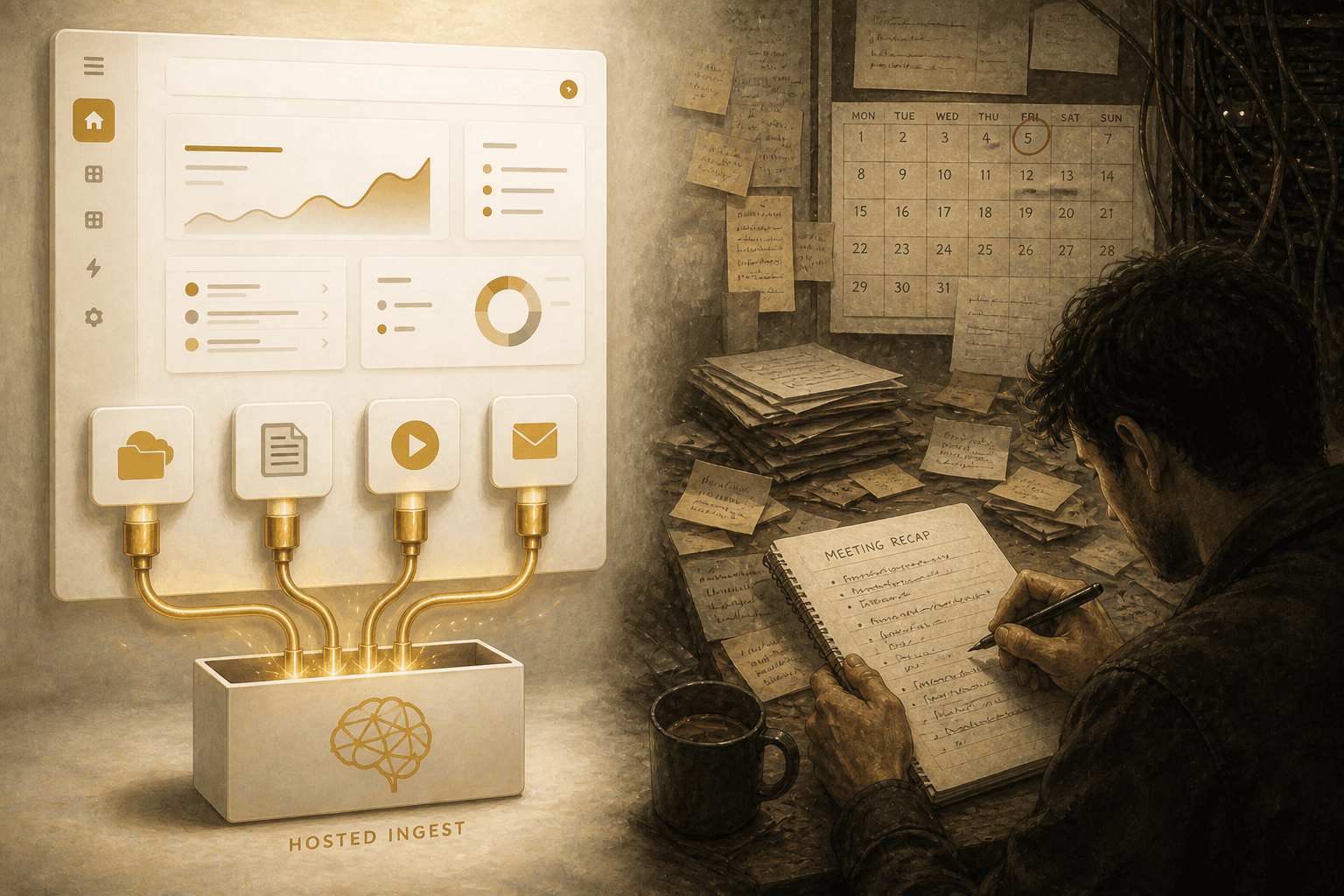
Create
Do you simply connect sources? Or do you copy work into notes?
Obsidian setup is a vault on a laptop or a shared folder. Knowledge arrives when someone writes a note, pastes a transcript, or drops a file in. Sync, Git, or Dropbox copies those files. Meeting tools, Drive, and the website stay outside until a person brings them in.
On Tricky Wombat, you create a project. You add people, assign roles, and connect sources. Knowledge arrives from the cloud, wikis, meetings, video, email, blogs, Substack, and URLs. Tricky Wombat can then watch those sources for updates. You do not run a shared vault to get the first cited answer.
- Tricky Wombat: Cloud StorageGoogle Drive, Dropbox, Box, S3, WikisNotion, Confluence, SharePoint, Learning SystemsKajabi, Circle, Meeting NotesFathom, Granola, Fireflies, Pocket, Video, Newsletters, Email and Webblogs, URLs, then watched for updates
- Tricky Wombat: Chat, CRMHubSpot, Salesforce and Work trackingJira, Monday.com, ClickUp stay live at query time (Real Time Search). They are not copied into a markdown source.
- Obsidian: you write notes, or paste transcripts, into a vault folder.
- Obsidian: you are the author.Tricky Wombat: as simple as connecting sources.
Use
Can anyone on the team ask a question in chat? Or do they open a shared vault?
Obsidian is used by opening the vault and searching it. Plugins add Copilot, Smart Connections, or an MCP server over the folder. That is still the vault. Everyone with Sync gets the same notes.
Tricky Wombat answers in chat, public or protected templates, embeddable widgets, and WordPress. One turn can search the index, hit live Slack, HubSpot, or Salesforce with user credentials, cite timestamps, offer an assessment, or take an action such as scheduling a meeting. Retrieval is access controlled. Curated answers can sit in front of retrieval after review.
Obsidian local search and the visual graph are a real strength.
- Tricky Wombat: ask in chat, on a site widget, in WordPress, or behind an access code
- Tricky Wombat: live answers from Slack, HubSpot, Jira, Salesforce, Monday.com, and ClickUp, using each person's own access
- Tricky Wombat: human-reviewed Q&A first, then search across documents and how they connect
- Obsidian: a search hit or a plugin answer inside the vault, with the same files for every collaborator


Maintain
Does the product watch sources and review answers? Or does someone tend the vault?
Obsidian maintenance is vault work: rewrite notes, merge sync conflicts, update Maps of Content, and decide which plugin still works. Nothing watches Drive, the site, or Slack unless a person copies a change in. Core Obsidian has no review queue for answers.
Tricky Wombat maintenance is built into the product: Document watch with deduplication, playlist sweeps, approved response review, content-gap dashboard, access controls, 2FA, Zero Data Retention.
Obsidian isolation is vault-wide: everyone who can open the shared vault can read every note in it.
- Tricky Wombat freshness: per-URL Watch, provider folder/space watches, playlist and publication sweeps
- Tricky Wombat quality: accept, edit, or decline suggested answers, mark what is missing, and open the cited sources
- Obsidian freshness: someone updates a note, or Sync and Git copy the file
- Obsidian: the graph and git history help you see drift. Tricky Wombat does not ship a local graph of notes.
What Obsidian is better at
Keep Obsidian if the notes belong to one person
Obsidian is a great personal brain for someone who already lives in local markdown. Files you can grep, diff, and take with you. Offline use. A visual graph. A plugin commons. Cheap if you stay on the free app.
Tricky Wombat is not a local markdown editor and not an Obsidian plugin.
If the only person who needs the notes is you, and a mistake only inconveniences you, Obsidian is an appropriate solution.
Once employees, customers, widgets, access controls, or live CRM enter the picture, a shared vault with equal write access is the wrong shape.
- Obsidian: files on disk you can grep, backup, and take with you
- Obsidian: offline editing and a visual graph of notes
- Obsidian: core app is free; Sync and Publish are individual add-ons
- Obsidian: git history as the collaboration model, if the team will actually use PRs

Create
How you set it up and add your knowledge
With Obsidian, you write notes in a vault. With Tricky Wombat, you connect the systems that already hold the work.
Comparison as of August 22, 2026
| Capability | Tricky Wombat | Obsidian |
|---|---|---|
| Hosted project: users, roles, no shared vault to run | Yes | - |
| Cloud folder import and watch (Drive / Dropbox / Box / OneDrive) | Yes | - |
| Wiki / LMS space sync (Notion, Confluence, SharePoint, courses) | Yes | - |
| Meeting-notes connectors (Fathom, Granola, Fireflies, Pocket) | Yes | Partial1 |
| Web ingest, JavaScript render, per-URL Watch | Yes | - |
| YouTube transcripts and playlist watch | Yes | - |
| Inbound email → document | Yes | - |
| Query-time live Slack / CRM (not a copied folder) | Yes | - |
| Network / local folder watcher, limited by each person's access | Yes | Partial2 |
| Agent writes into an inbox for a human curator | Partial3 | Partial3 |
| Markdown notes, wikilinks, and Maps of Content as the system of record | - | Yes |
| Local-first files you own on disk | - | Yes |
- 1.Obsidian meeting-notes connectors are Partial: people paste transcripts or use plugins, not a built-in Fathom, Granola, or Fireflies connector.
- 2.Obsidian folder watcher is Partial: the vault is the folder. Sync, Git, or Dropbox copy files. Incoming files are not limited by project roles the way they are in Tricky Wombat.
- 3.Both are Partial on an agent inbox: Tricky Wombat can auto-save suggested answers and capture gaps; Obsidian templates add an inbox folder.
Legend: Yes = productized support · Partial = limited, plugin, DIY, or incomplete · - = not a documented product feature. Obsidian column = typical shared-vault stack (shared vault + Sync or Git + Copilot/MCP).
Use
How people and agents get an answer
Obsidian use is search inside a vault. Tricky Wombat use is permissioned chat for the rest of the company, plus live systems in the same turn.
Comparison as of August 22, 2026
| Capability | Tricky Wombat | Obsidian |
|---|---|---|
| Browser chat, widget, or WordPress embed | Yes | Partial3 |
| Ask a question and get an answer with sources cited | Yes | Partial1 |
| Live + indexed retrieval in one answer | Yes | - |
| Each person connects their own Slack, CRM, and work tools | Yes | - |
| Each person only sees sources they are already allowed to see | Yes | -4 |
| Human-reviewed answers, approved before they go live | Yes | - |
| Agentic write-back from the same chat turn | Yes | - |
| Assessments offered from chat or widget | Yes | - |
| Visual graph of notes for humans | Partial2 | Yes |
| Full-text / backlink search in a note graph | - | Yes |
| Offline use | - | Yes |
- 1.Obsidian AI search is Partial: Copilot, Smart Connections, and MCP servers exist as community or add-on stacks, not a company Q&A product that follows each source's own sharing rules.
- 2.Obsidian graph is the product visual graph. Tricky Wombat is Partial on this row as a human browsing surface: chat can follow how people, topics, and documents connect; it is not Obsidian's local graph view.
- 3.Obsidian Publish can host a wiki (Partial on embed). It is not a chat widget on Kajabi or Circle that hides answers a person is not allowed to see.
- 4.Official Sync: all collaborators receive the same permissions as the vault owner except inviting users. Answers are not limited to what each person is allowed to see.
Legend: Yes = productized support · Partial = limited, plugin, DIY, or incomplete · - = not a documented product feature. Obsidian column = typical shared-vault stack (shared vault + Sync or Git + Copilot/MCP).
Maintain
How you keep knowledge current and reviewed
With Obsidian, keeping knowledge current is work you do in the vault. With Tricky Wombat, watching sources, reviewing answers, and managing access are part of the product.
Comparison as of August 22, 2026
| Capability | Tricky Wombat | Obsidian |
|---|---|---|
| Skip refresh when a source has not changed | Yes | - |
| Scheduled watches (web, playlists, publications) without writing jobs | Yes | - |
| Content-gap analytics (repeat questions with no good answer) | Yes | - |
| Human review queue for auto-captured answers | Yes | Partial2 |
| Fine-grained roles on knowledge (not equal vault write) | Yes | -1 |
| Shared vault beyond 20 people (productized) | Yes | -1 |
| MFA on the knowledge product | Yes | - |
| Sync version history on notes | Partial5 | Yes |
| SSO / SCIM org provisioning | Partial3 | - |
| Cross-source contradiction detection | Partial4 | - |
| Git history / PR review as the change log | - | Yes |
| Per-document last-verified / fact check queue | - | - |
- 1.Obsidian Sync collaborator cap and equal-write permissions: Obsidian Help, Collaborate on a shared vault (reviewed August 2026).
- 2.Obsidian review queue is Partial: cortex-brain and similar templates add inbox/ + open questions. Core Obsidian does not.
- 3.Tricky Wombat SSO is Partial: Cognito login is shipped; enterprise SAML/OIDC Hosted UI is roadmap in the feature inventory.
- 4.Tricky Wombat contradiction arbitration is Partial: Real Time Search capability descriptors exist and are not wired into answer generation. Document last-verified is roadmap for both sides.
- 5.Tricky Wombat version history is Partial: document re-ingest and original-text edit exist; it is not git blame on every note.
Legend: Yes = productized support · Partial = limited, plugin, DIY, or incomplete · - = not a documented product feature. Obsidian column = typical shared-vault stack (shared vault + Sync or Git + Copilot/MCP).
Company Brain FAQ
Obsidian as DIY, Tricky Wombat as product
A shared markdown vault used as organizational memory: folders for people, decisions, SOPs, and meetings; wikilinks; often Git or Obsidian Sync; often an AI plugin or MCP server on top. That is a personal second brain with more seats. It is not Slack searched when you ask, answers limited to what each person may see, or a system that keeps sources current.
You do. Rewrite notes, merge sync conflicts, keep Maps of Content current, and copy changes in from Drive, chat, and meetings. Templates may add an inbox folder. Tricky Wombat operators connect sources, set roles, review suggested answers, and watch URLs. They do not tend a vault.
Obsidian Sync isolation is the whole vault. Official docs: no fine-grained permissions, no live co-editing, 20 collaborators, each with a Sync subscription. Everyone who can open the vault can read every note. Tricky Wombat answers only from what that person is allowed to see, by their role and by each document's sharing rules. Those rules can follow Drive, OneDrive, Confluence, Notion, SharePoint, Dropbox, and Box when those tools expose them.
No. That is an Obsidian strength. Keep Obsidian for personal notes and writing. Put company sources into Tricky Wombat for answers, per-person access, and watches.
Ask the company, not only the vault.
Connect a folder and Slack. See who can ask without sharing a vault.
Schedule a call